Trascritto
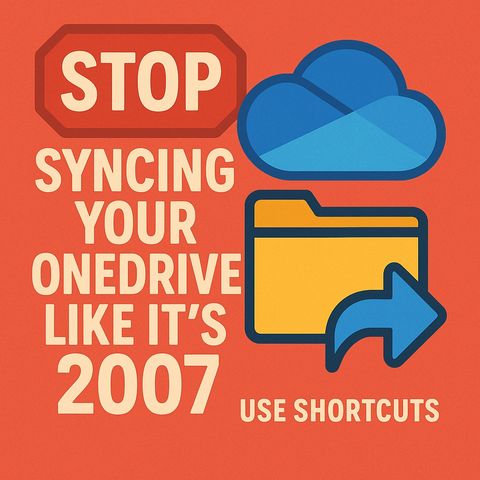
Stop Syncing OneDrive: Use OneDrive Shortcuts Instead
18 nov 2025 ·
19 min. 10 sec.
Scarica e ascolta ovunque
Scarica i tuoi episodi preferiti e goditi l'ascolto, ovunque tu sia! Iscriviti o accedi ora per ascoltare offline.
Stop Syncing OneDrive: Use OneDrive Shortcuts Instead
Capitoli
Descrizione
If your OneDrive is slow and constantly processing changes, the cause is usually full SharePoint library syncs you barely use. This episode shows Microsoft 365 users and admins why the...
mostra di più
If your OneDrive is slow and constantly processing changes, the cause is usually full SharePoint library syncs you barely use. This episode shows Microsoft 365 users and admins why the old sync habit wastes storage, CPU and governance, and how OneDrive shortcuts fix it. You get a step-by-step setup, organization tips and a clear sync-versus-shortcut decision matrix.
In this episode
Key takeaways
Worth quoting
“Traditional full library sync optimizes for familiarity, not efficiency. It makes your laptop feel busy, not productive.” – Mirko Peters (04:19)
“The reason this works is simple. Governance applies to the file, not the doorway. So you keep compliance while regaining sanity.” – Mirko Peters (06:25)
Explore more on M365.FM
Follow and rate M365.FM in your podcast app, and join the free M365 community at m365con.net.
Become a supporter of this podcast: https://www.spreaker.com/podcast/m365-fm-microsoft-365-azure-cloud-power-platform-ai--6704921/support.
mostra meno
In this episode
- 00:00 – Why OneDrive feels slow
- 00:39 – The hidden cost of full syncing
- 04:38 – OneDrive shortcuts explained
- 08:20 – Step-by-step: adding shortcuts
- 11:47 – Organizing and removing shortcuts
- 15:31 – Sync or shortcut: decision matrix
- 18:34 – Future-proofing your cloud storage
Key takeaways
- Syncing entire SharePoint libraries creates metadata overhead, CPU and network churn, storage creep and governance drift on every device.
- Add shortcut to OneDrive exposes only the folders you work in, roams across devices and keeps labels, retention and version history on the governed source.
- Use full sync only when offline access for a whole scope or local tooling truly requires it, and cache just the subfolders you need.
Worth quoting
“Traditional full library sync optimizes for familiarity, not efficiency. It makes your laptop feel busy, not productive.” – Mirko Peters (04:19)
“The reason this works is simple. Governance applies to the file, not the doorway. So you keep compliance while regaining sanity.” – Mirko Peters (06:25)
Explore more on M365.FM
- Episode page: the full episode with chapters, quotes, the sync-versus-shortcut matrix and FAQ
- OneDrive – the sync client whose slowness and constant processing changes this episode sets out to fix
- SharePoint – where the libraries live that users fully sync and should reach through shortcuts instead
- Governance – why shortcuts avoid the stray copies and governance drift that full library sync encourages
- Sensitivity labels – stay intact on the governed source and can be mirrored as prefixes in shortcut names
- Related episode: Stop Syncing Folders: Why SharePoint Shortcuts Are Breaking Your Enterprise Data Strategy
Follow and rate M365.FM in your podcast app, and join the free M365 community at m365con.net.
Become a supporter of this podcast: https://www.spreaker.com/podcast/m365-fm-microsoft-365-azure-cloud-power-platform-ai--6704921/support.
Informazioni
| Autore | Mirko Peters M365, Azure & AI |
| Organizzazione | m365 FM |
| Sito | www.m365.fm |
| Tag |

Copyright 2026 - Spreaker Inc. an iHeartMedia Company

Commenti