Trascritto
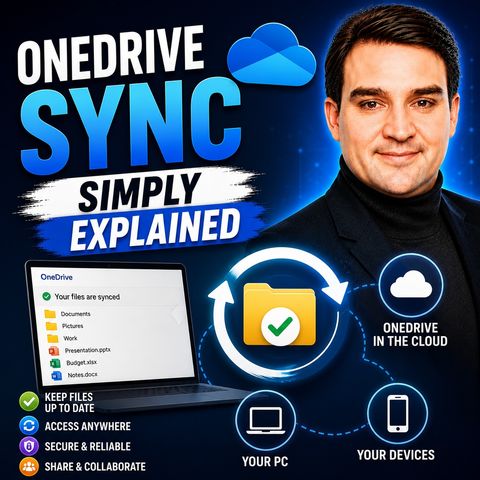
OneDrive Sync — Simply Explained
22 lug 2026 ·
16 min. 29 sec.
Scarica e ascolta ovunque
Scarica i tuoi episodi preferiti e goditi l'ascolto, ovunque tu sia! Iscriviti o accedi ora per ascoltare offline.
OneDrive Sync — Simply Explained
Descrizione
Most people think OneDrive is just a cloud folder - until files vanish or sync gets stuck with a red X. This episode explains in plain English how the sync...
mostra di più
Most people think OneDrive is just a cloud folder - until files vanish or sync gets stuck with a red X. This episode explains in plain English how the sync engine, Files On-Demand and selective sync really work and why sync breaks. Everyday Microsoft 365 users learn simple habits to keep sync healthy and see how Copilot is turning OneDrive into a smart assistant.
In this episode
Key takeaways
Worth quoting
“Think of it as a two-way mirror, a live connection between your device and Microsoft servers, where any change on one side automatically shows up on the other” – Mirko Peters (00:21)
“If you delete an online only file from your device, it deletes it from OneDrive everywhere. It's gone from the cloud, too.” – Mirko Peters (03:37)
Explore more on M365.FM
Follow and rate M365.FM in your podcast app, and join the free M365 community at m365con.net.
Become a supporter of this podcast: https://www.spreaker.com/podcast/m365-fm-microsoft-365-azure-cloud-power-platform-ai--6704921/support.
mostra meno
In this episode
- 00:00 – Sync is not upload
- 00:59 – The two-way mirror
- 02:23 – Files On-Demand
- 04:06 – How the sync engine works
- 06:09 – Why sync breaks
- 08:20 – Selective sync vs. Files On-Demand
- 10:24 – Moving OneDrive and Copilot
- 13:51 – Tips for a healthy sync
Key takeaways
- OneDrive sync is a continuous two-way mirror between devices and the cloud, backed by version history, not a one-time upload.
- Files On-Demand keeps all files visible as online-only placeholders, while selective sync decides which folders appear on a device at all.
- Most sync problems come from long paths, full storage, locked files or unsupported characters, and pausing and resuming sync fixes many temporary glitches.
Worth quoting
“Think of it as a two-way mirror, a live connection between your device and Microsoft servers, where any change on one side automatically shows up on the other” – Mirko Peters (00:21)
“If you delete an online only file from your device, it deletes it from OneDrive everywhere. It's gone from the cloud, too.” – Mirko Peters (03:37)
Explore more on M365.FM
- Episode page: the full episode with chapters, quotes, FAQ and eight habits for healthy sync
- OneDrive – the service whose sync engine, Files On-Demand and selective sync this episode explains
- Microsoft 365 Copilot – turns OneDrive into an assistant that summarizes, compares and answers questions about files
- Microsoft Word – used as the example of a file you double-click, which is locked while open
- Microsoft Excel – an open Excel file is locked by the app, so OneDrive cannot sync it
- Related episode: Data Loss Prevention in Microsoft 365: Policies That Actually Work
Follow and rate M365.FM in your podcast app, and join the free M365 community at m365con.net.
Become a supporter of this podcast: https://www.spreaker.com/podcast/m365-fm-microsoft-365-azure-cloud-power-platform-ai--6704921/support.
Informazioni
| Autore | Mirko Peters M365, Azure & AI |
| Organizzazione | m365 FM |
| Sito | www.m365.fm |
| Tag |

Copyright 2026 - Spreaker Inc. an iHeartMedia Company

Commenti